
Cast Overview
In comic and manhwa recaps, voice narration and dialogue attribution depend entirely on knowing who is speaking and who is on screen. Because comic pages do not have built-in script labels, Cast transforms raw panel scans into a structured, named character roster linked directly to your story’s dialogue.
Why the Pipeline Is Staged
Section titled “Why the Pipeline Is Staged”Manhwa artwork presents unique challenges for automated recap generation:
- Visual transformations: Characters undergo art style evolutions, wardrobe changes, power-ups, injuries, or time skips between chapters.
- Detached naming: A character’s name is often spoken chapters before or after their first physical appearance.
- Ambiguous speech bubbles: Dialogue balloons point to off-screen characters, narration boxes float over crowds, and multi-speaker panels require visual spatial reasoning.
To keep results accurate and easy to edit, RecapSynth breaks character identity into five progressive steps:
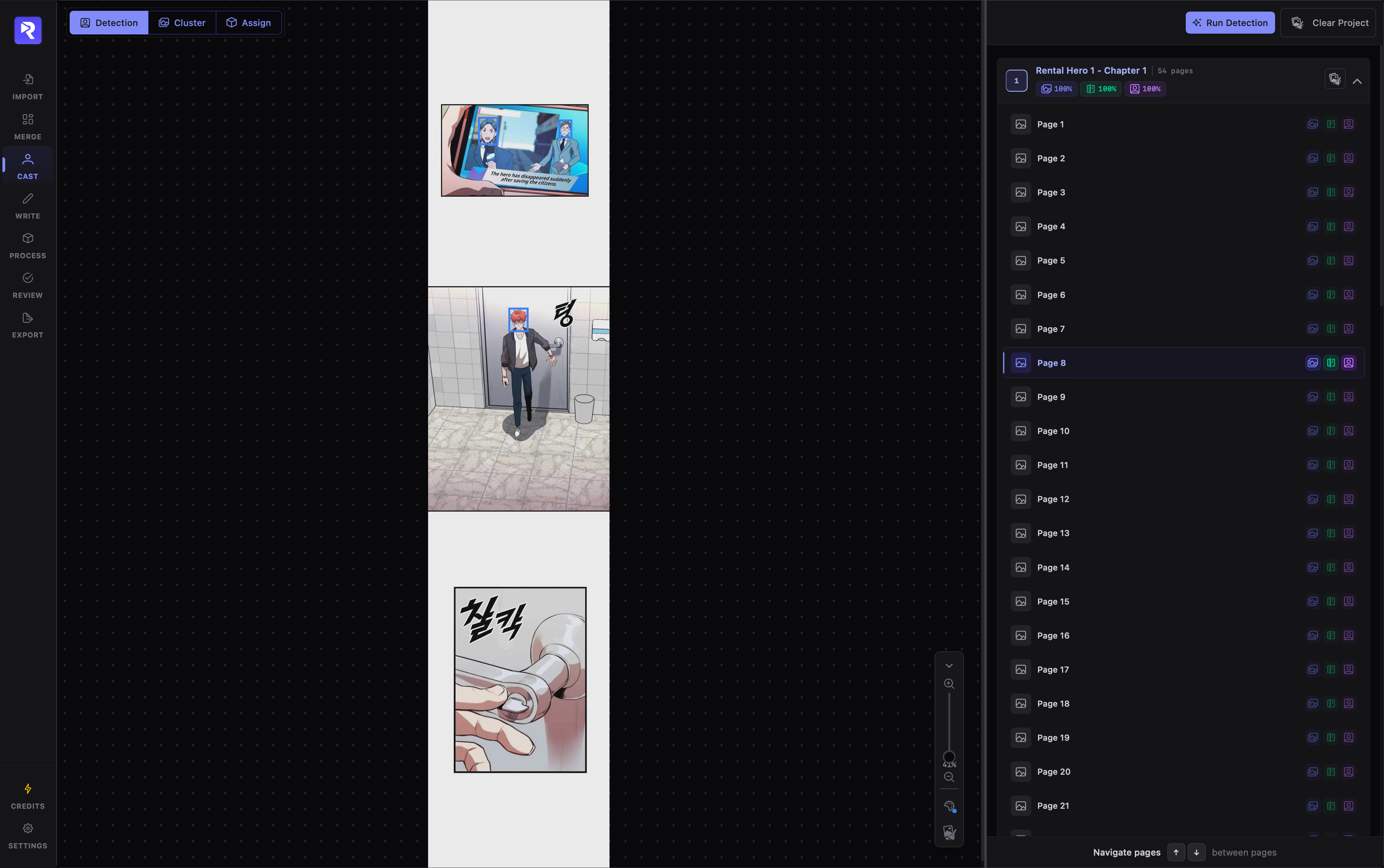
Detect and crop character faces inside panel bounds.
Group faces within each chapter so each character has a local cluster.
Merge matching chapter clusters across the whole manhwa into Character Groups.
Extract names from dialogue and match them visually to your groups.
VLM attributes each dialogue balloon and writes panel action descriptions.
The 5 Stages of Cast
Section titled “The 5 Stages of Cast”- 1
Head Detection
Open Guide
Scans inside detected panel (
art) bounding boxes to crop character faces and assign initial coordinates. Includes a manual canvas editor to draw missed faces, reposition boxes, or adjust crop boundaries. - 2
Chapter Clustering
Open Guide
Operates on the Chapters tab. An AI facial recognition model extracts feature embeddings and groups similar faces together within a single chapter. Unsure or one-off faces land in Unassigned for manual drag-and-drop sorting.
- 3
Character Grouping
Open Guide
Operates on the Characters tab. Rolls chapter clusters up across the entire project. Matches a protagonist’s appearances from Chapter 1 through Chapter 50 into a single unified Character Group, regardless of visual changes.
- 4
Name Assignment
Open Guide
Connects names to faces. An LLM scans transcribed dialogue lines to identify character names and aliases, while a VLM inspects surrounding panels to suggest matches for your Character Groups. Includes an Alias Evidence Visualizer to verify dialogue context before approving.
- 5
Script Assignment
Open Guide
A Vision-Language Model processes full page images alongside the page’s character roster. It identifies which character spoke each dialogue line, routes system captions to the Narrator, and generates action descriptions for every panel.
Built-In System Characters
Section titled “Built-In System Characters”Every RecapSynth project automatically seeds two non-deletable system entities to guarantee that scripts never fail during generation:
Receives rectangular text boxes, system status screens, skill notifications, time cards, and expository voiceovers.
Acts as a safe fallback for off-screen voices, crowded background shouts, or dialogue whose speaker cannot be determined visually.
Getting Started
Section titled “Getting Started”To begin setting up your cast, navigate to Cast in the primary navigation rail and start with Head Detection.
Detect character face bounding boxes across your chapters and inspect crop accuracy on the canvas.