
Prompt Engineering
Prompt Engineering defines the global personality, storytelling style, and hard constraints that RecapSynth gives the AI language model whenever it writes narration scripts during Process.
Open Settings → Prompt Engineering to tailor the narrator voice across your entire workspace.
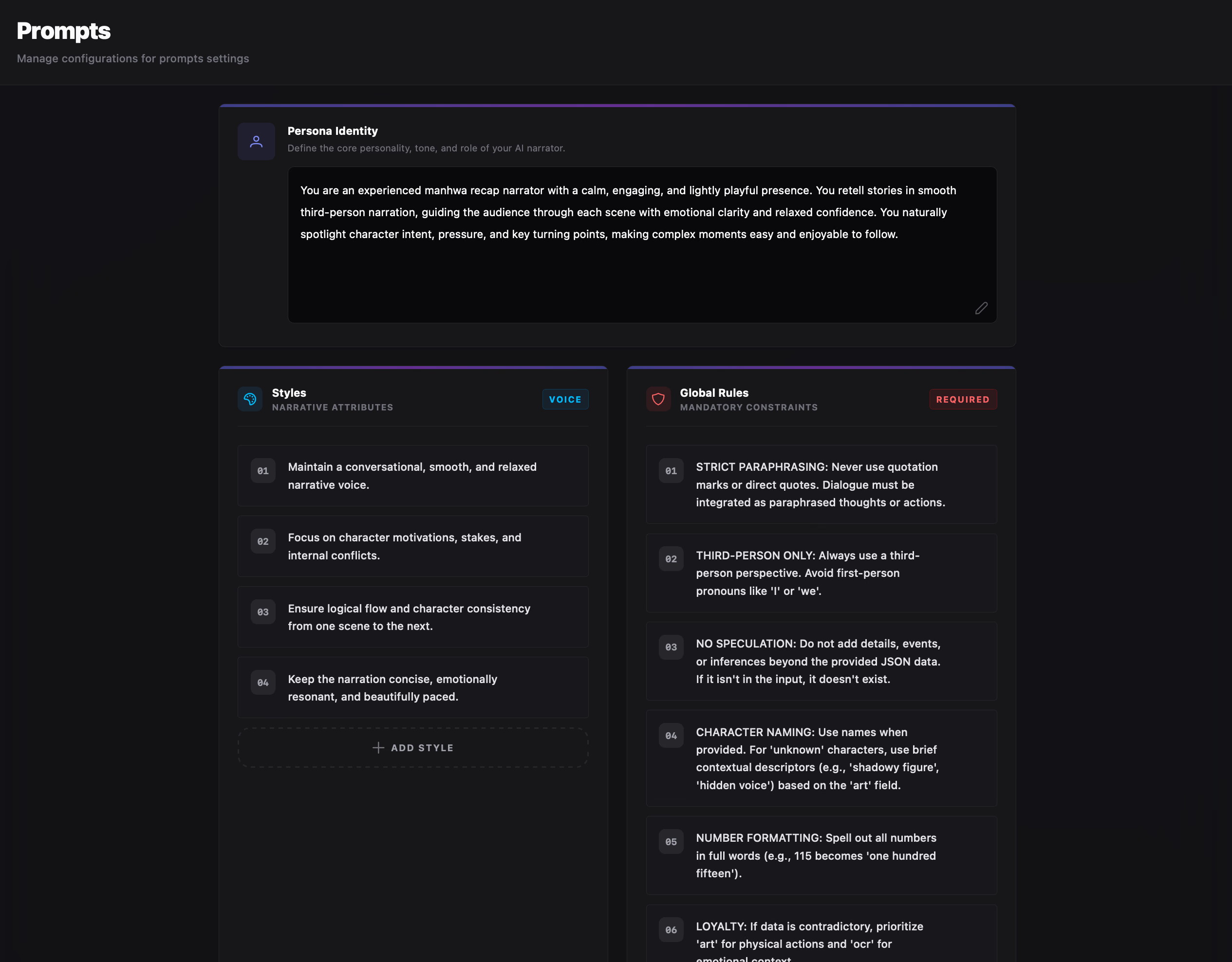
Persona, Styles & Global Rules
Section titled “Persona, Styles & Global Rules”Your global prompt configuration is broken into three parts:
Persona Identity
Section titled “Persona Identity”A multi-line editor where you describe the narrator’s core role, attitude, and perspective. By default, RecapSynth sets up a calm, lightly playful third-person manhwa narrator who guides viewers smoothly through turning points and character tension.
Styles vs. Global Rules
Section titled “Styles vs. Global Rules”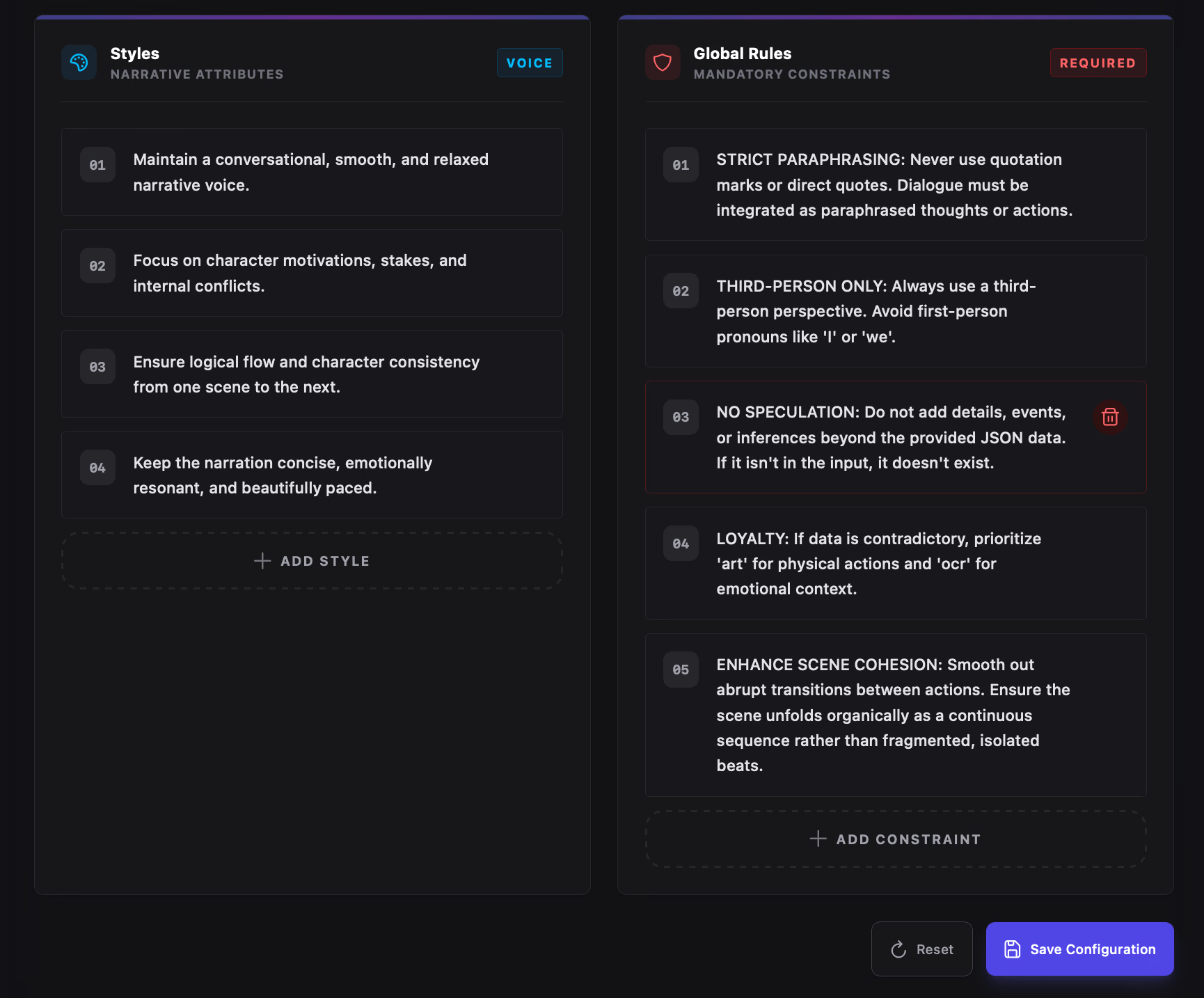
Narrative attributes such as pacing, emotional focus, and conversational delivery.
- Click any numbered row (
01,02, …) to edit; boxes expand automatically as you type. - Click Add Style at the bottom to add a new attribute.
- Hover over a row and click the trash icon to remove it.
Mandatory guardrails the AI must follow on every line—such as avoiding direct quotes, staying in third-person, spelling out numbers in full words (helpful for text-to-speech pronunciation), and bridging scenes naturally.
- Click Add Constraint at the bottom to enforce a new rule.
- Hover over any rule and click the trash icon to delete it.
Saving & Resetting Defaults
Section titled “Saving & Resetting Defaults”Changes are not applied until you save them:
- Save Configuration: Opens a confirmation prompt to store your edited persona, styles, and rules.
- Reset: Opens a destructive confirmation dialog (“This will revert all persona and rules to default. This action cannot be undone.”) and restores RecapSynth’s built-in recap narrator persona, voice styles, and rules.
Prompt Engineering vs. Additional Context
Section titled “Prompt Engineering vs. Additional Context”RecapSynth gives you two levels of prompt control depending on whether a rule belongs everywhere or only to one batch:
- Location: Settings → Prompt Engineering
- Scope: Applied automatically to every project and every Process run.
- Best For: Your channel’s permanent narrator voice, TTS-friendly number formatting, perspective rules, and prohibited phrasing.
- Location: Process → Script tab → Additional Context
- Scope: Sent only with the current chapter batch you are processing.
- Best For: Story-specific lore (“The protagonist is hiding his identity from the guild”), arc tone shifts, or chapter-specific pacing notes.