
Overview
Raw manhwa chapters rarely arrive at uniform dimensions—some scans split single panels across multiple short files, while webtoon rips pack dozens of panels into ultra-tall vertical strips. The Merge stage normalizes page heights vertically before you move into Write and Process.
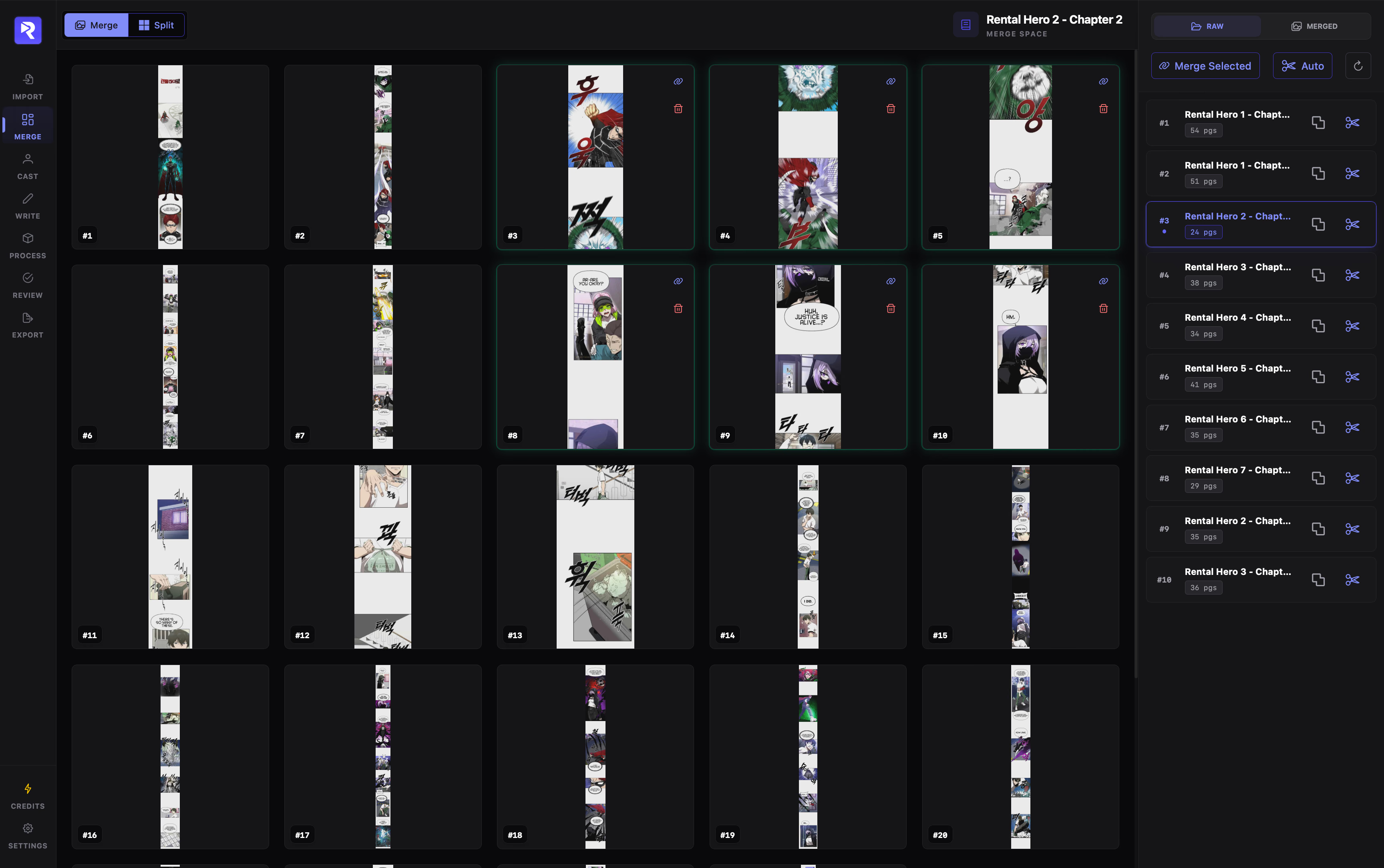
Merge vs. Split
Section titled “Merge vs. Split”Merge Pages
Combines multiple consecutive pages vertically into a single continuous image. Use this when panels or speech bubbles are cut across separate image files.
Split (Slice) Pages
Individually slices each oversized image horizontally into shorter vertical segments. Pages exceeding your configured height-to-width ratio during import are flagged here automatically.
Why Normalize Page Size Before Write?
Section titled “Why Normalize Page Size Before Write?”- Clean panel boundaries: Merging consecutive strips prevents panels and dialogue bubbles from being split across two separate pages during annotation and OCR.
- Manageable image dimensions: Slicing long webtoon strips keeps individual page heights within optimal bounds for canvas rendering, OCR accuracy, and downstream processing.
Detailed Guides
Section titled “Detailed Guides”Choose an operation below for step-by-step instructions:
Merging Pages
Group and stitch consecutive pages vertically into unified images.
Splitting Long Pages
Manually or automatically slice tall vertical strips into manageable pages.