
Audio Settings
The Audio tab controls how RecapSynth transforms your generated narration scripts into spoken voiceover tracks. You can use local neural models that run completely offline without API fees, or connect high-fidelity cloud voices.
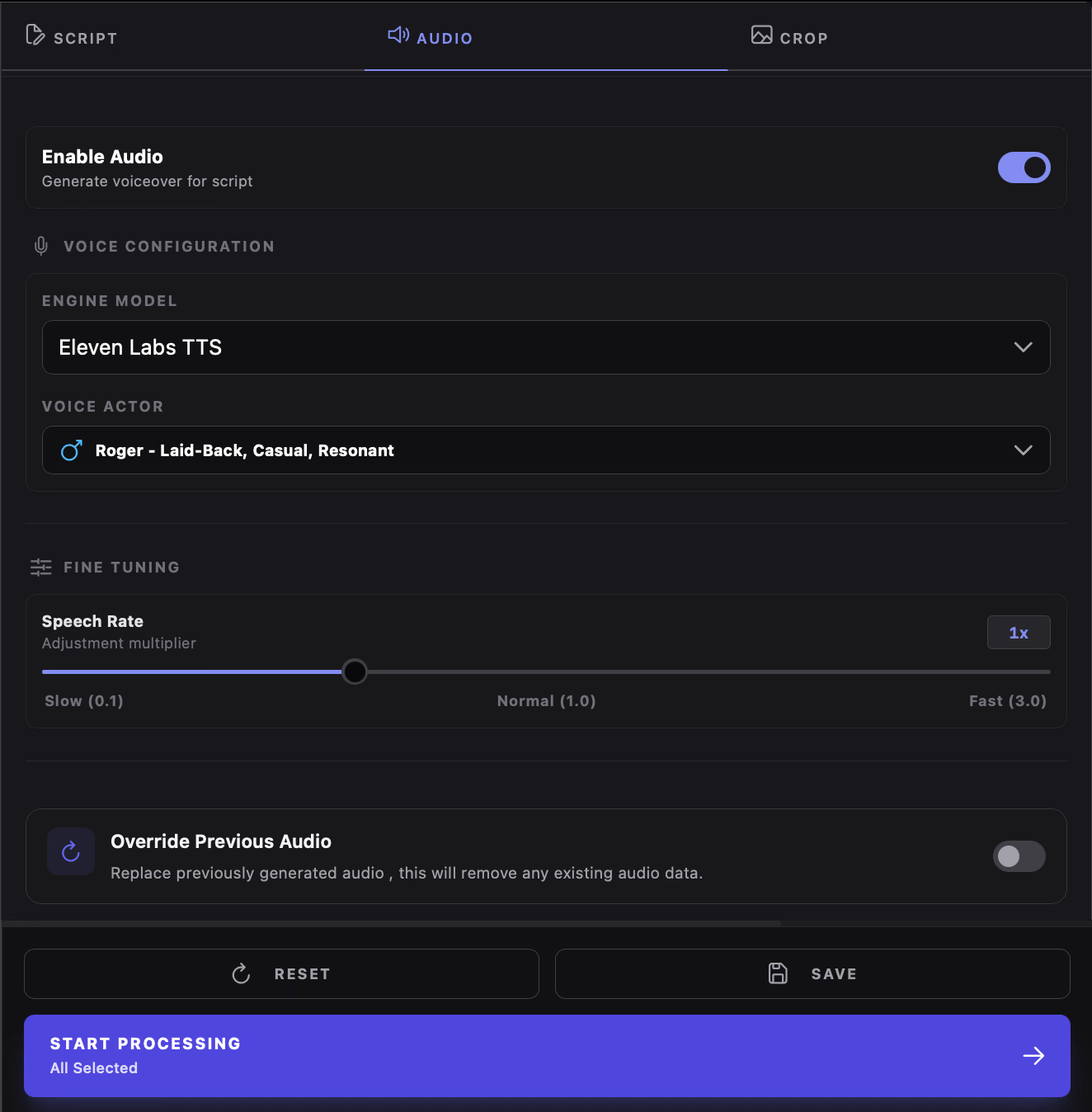
Enable Audio Toggle
Section titled “Enable Audio Toggle”- Enabled (On): Generates voiceover audio for each completed chapter script, inserts natural breath pauses between sentences, and creates time-synchronized
.srtsubtitle files. - Disabled (Off): Skips the audio generation phase entirely. The processor only outputs scripts and cropped panels, saving credits and processing time if you plan to record your own voiceover or upload external audio.
Supported Voice Engines
Section titled “Supported Voice Engines”RecapSynth integrates both zero-cost local models and cloud providers:
Runs locally on your machine via ONNX Runtime. High-quality natural speech with zero external API calls or credit deductions. Downloads model weights automatically on first run.
High-speed local neural synthesis operating at 44.1kHz. Uses 10 distinct male and female preset voices optimized for narration, audiobooks, and commentary.
Cloud-based natural neural voices with wide language and accent coverage. Requires an active internet connection but no private API key.
Studio-grade generative voice AI supporting realistic emotion, pacing, and cloned character voices. Requires an ElevenLabs API key saved in Settings.
Voice Actor & Fine-Tuning
Section titled “Voice Actor & Fine-Tuning”Voice Actor Picker
Section titled “Voice Actor Picker”Once an engine is selected, the Voice Actor dropdown lists available voices with gender indicators (Mars/Venus icons), language tags (e.g., en-US, en-GB), and scenario recommendations (e.g., Audiobook Narration, Dramatic Intro).
Speech Rate Multiplier
Section titled “Speech Rate Multiplier”Adjust the Speech Rate slider to control narration speed:
- 0.1x – 0.8x: Slower pace suitable for solemn story reveals or emotional flashbacks.
- 1.0x (Default): Natural conversational pacing.
- 1.2x – 3.0x: Accelerated pacing ideal for fast-paced action recaps and short-form video formats.
Automated Transcription (.srt)
Section titled “Automated Transcription (.srt)”Whenever voiceover is generated, RecapSynth automatically runs an embedded speech-recognition model on the output audio to produce a word-aligned .srt subtitle file.
These subtitle files are linked to the chapter’s voice track, allowing you to preview subtitles directly in the Review player and export synchronized text layers in video editors.
Override Previous Audio
Section titled “Override Previous Audio”Toggle Override Previous Audio if you have adjusted speech rate, switched voice actors, or edited dialogue and need to regenerate audio for chapters that were already processed. When turned off, chapters with existing .wav files are skipped to save processing time.