
General Settings
General Settings is where you view your account profile, switch the application appearance between light and dark themes, request a password reset, sign out, or permanently delete your account.
To open Settings, click the Settings gear icon from the home screen or the editor navigation rail, then select General in the left sidebar. Click Dashboard in the top-left header whenever you are ready to return.
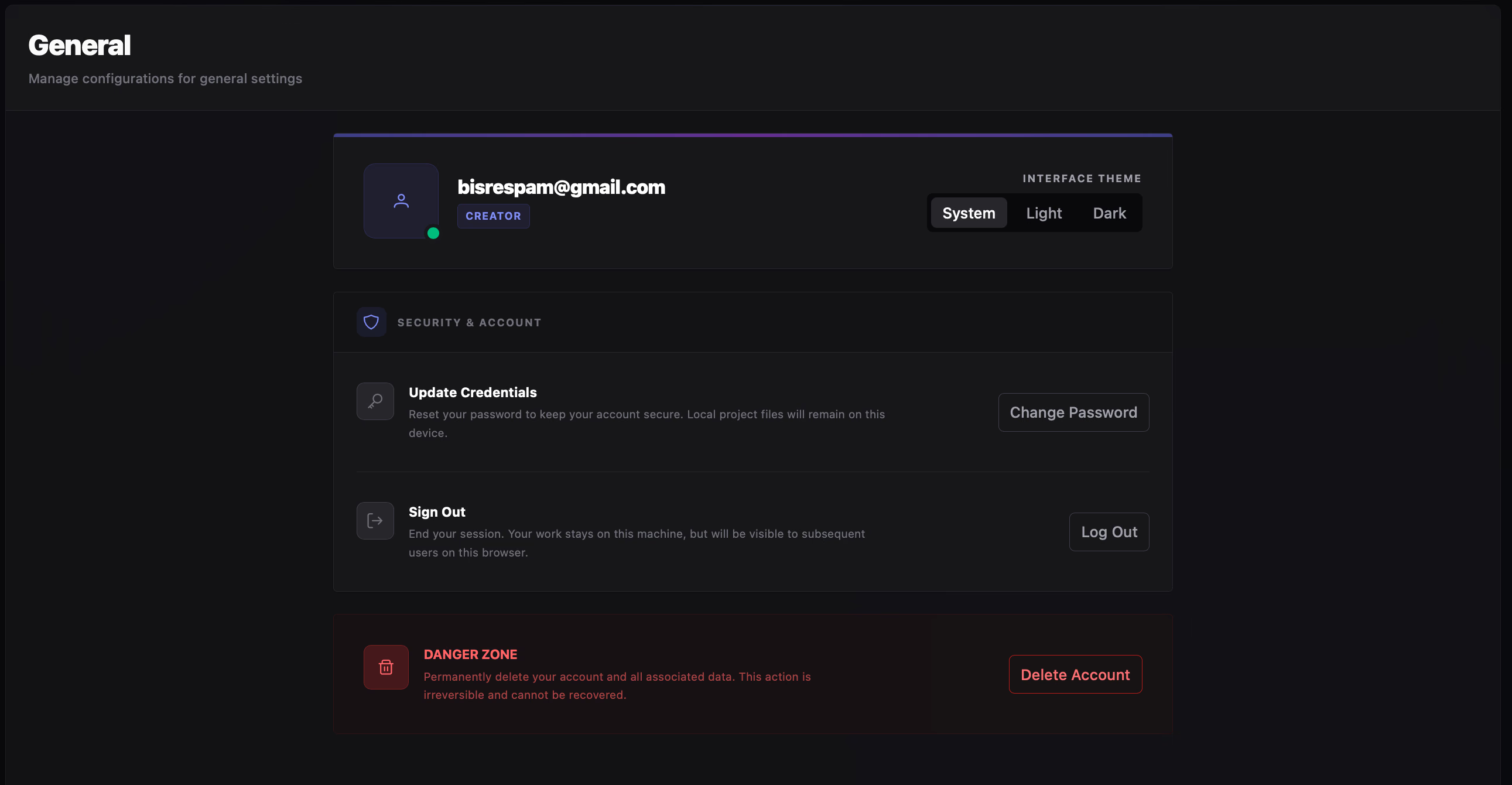
Profile & Interface Theme
Section titled “Profile & Interface Theme”Displays your signed-in account email and a live badge for your active subscription tier. To change plans or inspect your credit balance, switch to Subscription Plans in the sidebar.
Switch immediately between System (follows your operating system appearance), Light, and Dark. Your theme preference is stored locally on this computer.
Security & Account
Section titled “Security & Account”Use the Security & Account controls to update your password or end your active session:
Sends a password reset link directly to your account email address. Follow the emailed link to set a new password—your local project files remain untouched on disk.
Signs you out and returns to the login screen. Your manhwa projects remain stored locally on this computer and will be visible to anyone who signs in on this machine later.
Danger Zone (Delete Account)
Section titled “Danger Zone (Delete Account)”Clicking Delete Account opens a confirmation dialog to permanently erase your RecapSynth account and server-side records—including synced projects, settings, and billing history.
- 1
Open the Confirmation Dialog Click Delete Account inside the Danger Zone section.
- 2
Type the Challenge Phrase Enter delete this account in the confirmation box to enable the delete button.
- 3
Confirm Permanent Erasure Click Permanently Delete (or press Enter). To abort, click Keep my account.